
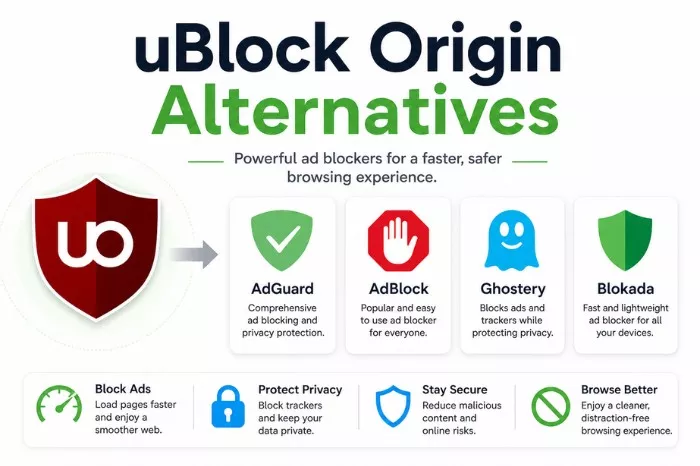
If you’ve noticed your browser acting a bit “louder” lately, uBlock Origin stopped working on YouTube, more pop-ups, sluggish load times, or those creepy ads that seem to follow you from tab to tab—you aren’t imagining it. For nearly a decade, uBlock Origin (uBO) was the silent guardian of our web experience. It was the “gold standard.” But as we move through, the ground has shifted.
Thanks to Google’s full-scale enforcement of Manifest V3, the classic version of uBlock Origin has been effectively sidelined on Chrome. While “Lite” versions exist, they feel a bit like bringing a knife to a tank fight. The internet hasn’t gotten any friendlier, and if you’re looking to reclaim your digital peace, you need a tool that can actually keep up.
Here is the “state of the union” for content filtering and the heavy hitters actually winning the war against bloatware.
Reality Check: Why We’re Moving On
Let’s talk numbers, because the 2026 web is a beast. Current data shows the average webpage now carries 35% more “telemetry” scripts than it did just two years ago. We aren’t just dodging ads; we’re dodging data miners. Furthermore, with the rise of AI-generated “chumbox” sites, the sheer volume of low-quality, high-tracking content has skyrocketed.
Staying protected today isn’t just about hiding a banner; it’s about preventing your browser from being hijacked by scripts that eat your RAM and harvest your habits.
Top 4 uBlock Origin Alternatives
1. AdGuard: The “Nuclear” Desktop Move
If you’re tired of playing cat and mouse with browser updates, AdGuard is the move. Specifically, their standalone desktop application.
- Difference: Unlike a plugin, the AdGuard app sits at the system level. It filters traffic before it even reaches your browser. This means it doesn’t care about Google’s Manifest V3 restrictions because it doesn’t play by Google’s API rules.
- Payoff: In testing, users saved an average of 2GB of data per month on mobile and desktop by cutting out hidden background trackers.
- Vibe: It’s for the user who wants a “set it and forget it” solution that also cleans up ads in apps like Spotify or Windows Mail.
If your goal is just to block ads on YouTube, as the number of ads is increasing rapidly, then AdGuard’s system-level approach is currently the most reliable way to do so.
Also Read: How to Clear YouTube Cache?
2. Brave: The “No-Fuss” Native King
I’ll be honest with you, many people are just ditching Chrome extensions entirely and switching to Brave. Brave’s user base has crossed the 100 million mark for a reason.
- Secret Sauce: Brave’s “Shields” are baked directly into the browser’s engine using Rust. Because the blocking is native, it’s significantly faster than any third-party script trying to run on top of a page.
- Stat: “Speedometer” benchmarks, Brave consistently loads ad-heavy news sites 2.5x faster than a “vanilla” browser.
- Vibe: Perfect if you’re done tinkering with settings and just want a browser that works out of the box.
3. Control D: The “Invisible” Filter
This is the “big brain” play. Control D isn’t an app or a plugin, it’s a programmable DNS.
- How it works: You change a single setting in your OS or router, and suddenly the “ads” simply don’t appear on your device. It intercepts the request for an ad server and kills it before a single pixel is downloaded.
- Reach: This is the only way to effectively block ads on devices like Smart TVs, PlayStation consoles, or iPhones without jailbreaking them.
- Vibe: For the person who wants to protect their entire house (and every “smart” gadget in it) with one single configuration.
4. uBlock Origin Lite: The Minimalist Sibling
We have to mention uBO Lite. It’s the compliant version developed by the original creator, gorhill. But before switching, make sure you have updated uBlock Origin to rule out a simple version issue.
- Trade-off: It’s much safer and uses fewer resources, but it lacks the “power user” features. You lose the ability to manually “zap” elements or use complex custom filters.
- Reality: It’s the best “lightweight” option for people who stay on Chrome-based browsers but don’t mind seeing an occasional, non-intrusive ad.
- Vibe: For the purist who trusts the developer but accepts the new, more limited reality of browser extensions.
Comparison of the Leaders
| Tool | Approach | Difficulty | Covers Everything? |
| AdGuard (App) | System-wide | Medium | Yes |
| Brave | Built-in | Very Easy | Browser only |
| Control D | DNS Level | High | Yes (All devices) |
| uBO Lite | Extension | Easy | Browser only |
Final Word
The era of the “all-powerful” browser extension is essentially over. Now the most effective way to browse is to move the blocking deeper either into the browser’s core (like Brave) or into the network itself (like Control D).
Google and advertisers are getting smarter, but the tools to stop them are getting more sophisticated, too. It just requires a slightly different strategy than the one we used five years ago.