
Picture this: you finally sit down with your snack, ready to watch that video everyone’s been talking about. You hit play—and BAM. A 15-second ad about something you have zero interest in starts playing. You wait… and wait… and wait for that magical “Skip” button to appear.
We’ve all been there. While ads support the creators we love, sometimes you just want to watch in peace.
The good news? There are ways to reduce or skip YouTube ads—legally, safely, and without installing any sketchy apps from the depths of the internet. Let’s walk through them together.
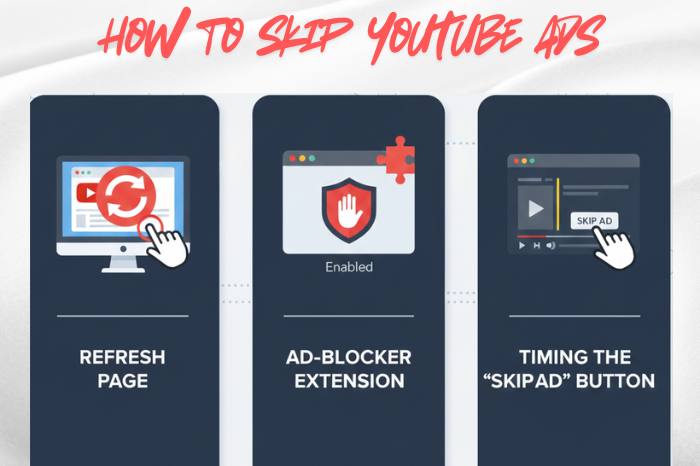
The Classic: Smash That “Skip Ads” Button
It’s like the “snooze” button of YouTube—you know it’s coming, and the second it pops up, you pounce.
Why it works: Most YouTube ads are skippable after 5 seconds, and that simple little button saves you from ad purgatory.
Where it works: Everywhere—your phone, laptop, tablet, smart TV, you name it.
YouTube Premium: The VIP Pass to No Ads
If you have ever thought, “I watch way too much YouTube,” then YouTube Premium might be your destiny.
Here’s what you get:
- Zero ads, ever
- Background play (listen with the screen off!)
- Offline downloads
- YouTube Music Premium
Imagine watching YouTube uninterrupted—like the good ol’ days. That’s Premium.
Download Videos for Later (Premium Only)
Going on a trip? Sitting on a train with terrible Wi-Fi? Just want to watch in peace?
- Download the videos!
- No signal? No ads.
- No ads? No problem.
Tame Your Ad Settings (It Helps More Than You Think)
Okay, so this won’t wipe ads off the map, but it can make them less repetitive and sometimes less frequent.
- Just head to your Google Ad Settings and turn off Ad Personalization.
- Goodbye, oddly specific ads following you around the internet.
Watch on a Smart TV (The Sneaky Trick)
Here’s a fun, slightly magical fact: YouTube ads often behave differently on smart TVs and streaming sticks.
Some devices show:
- Fewer mid-roll ads
- Shorter ads
- More skippable formats
It’s not guaranteed, but many people notice a smoother ride on the big screen.
Shrink the Video with Miniplayer
You know that tiny floating video you get when you swipe down on mobile or hit the miniplayer button on desktop?
Yep—some ad types simply don’t play there. It’s not a cheat code, but it feels like one.
Choose Creators Who Keep Ads to a Minimum
- Some YouTubers are ad-friendly.
- Some are ad-neutral.
- And some are ad-chaotic, placing mid-roll ads every 30 seconds like a digital minefield.
Stick with creators who keep the ad placements reasonable, and your watch sessions will feel way smoother.
A Quick PSA: Avoid the Sketchy Stuff
Look, the internet is full of “magic” ad-blocking apps, hacked YouTube clones, and mysterious browser scripts.
Most of them are:
- Against YouTube’s rules
- Security risks
- Full of malware
- Just plain risky
Your device—and your YouTube account—deserve better.
Final Word
Skipping YouTube ads doesn’t have to feel like battling a boss level. Whether you are hitting that Skip button with lightning reflexes, trying YouTube Premium, or tuning your settings, there are plenty of safe, simple, and totally legit ways to make YouTube more enjoyable.
FAQs
Not all ads can be skipped. Pre-roll ads often have a “Skip Ad” button after 5 seconds, but some are unskippable. Mid-roll ads in longer videos also cannot be skipped unless you subscribe to YouTube Premium.
Yes, YouTube Premium removes all ads, allows background playback, and lets you download videos. It’s especially useful for frequent viewers who want a seamless, ad-free experience.
Generally, yes. Short videos often do not include mid-roll ads. Watching multiple shorter videos in a row may reduce interruptions compared to longer videos with several ad breaks.
YouTube constantly updates its platform to prevent ad-blockers from bypassing ads. As a result, even popular extensions like uBlock Origin may fail to block all ads. YouTube actively detects and restricts the use of ad-blockers.
Yes! Videos downloaded via YouTube’s official offline feature (on mobile apps) play without ads. Some offline features may require YouTube Premium.