
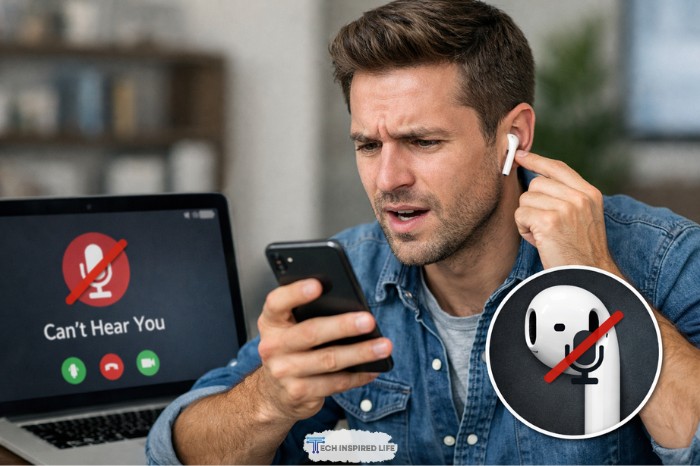
AirPods microphone not working? Don’t worry—it’s a common issue that often has a simple fix. You’re not alone if calls sound muffled or voice memos fail; most causes are software glitches, dirt, or settings mix-ups, and we’ll walk through them step by step.
Why Is My AirPods Microphone Not Working?
Common causes include software glitches, dirt buildup on the mic mesh, Bluetooth connection problems, low battery, or incorrect microphone settings that force one AirPod only (It might start flashing green light). These issues pop up after updates, drops, or heavy use. Hardware damage is rarer but possible if nothing else works.
Dirt blocks the tiny mic holes on the stem. Bluetooth hiccups make your iPhone pick the wrong audio input. Firmware bugs, like those reported after updates, can mute one side.
Quick Checks Before Troubleshooting
Start here to rule out basics. These take under a minute.
- Charge your AirPods fully—low battery weakens mic performance.
- Ensure they’re connected: Swipe down to Control Center on iPhone, tap the AirPlay icon, and confirm AirPods show for mic input.
- Test on another device, like a Android phone, TV or Laptop, to isolate the problem.
How Do I Check AirPods Microphone Settings?
Go to Settings > Bluetooth, tap the ‘i’ next to your AirPods, then tap Microphone and select ‘Automatically Switch AirPods’. This lets both mics share duties for clear calling. If set to one side, the other mic stays silent.
Why it works: AirPods have mics on both stems; “auto switch” picks the best one based on noise. Toggle options off and on to refresh. Test with Voice Memos app right after.
Is Bluetooth Causing My AirPods Mic Issue?
Often, yes—a shaky connection routes audio wrong.
- On iPhone, go to Settings > Bluetooth.
- Toggle Bluetooth off, wait 10 seconds, toggle on.
- If AirPods show, tap ‘i’, then Forget This Device, and re-pair by opening the case near your phone. (You have to rename it again if you named it before)
This forces a fresh link. Restart your iPhone too: Hold volume + side button, slide to power off, then turn on.
How Do I Clean My AirPods Microphone?
Dirt in the mic mesh is a top cause—use a dry soft brush or microfiber cloth to gently wipe the black dots on the stem ends. Never push hard or use liquids first.
Steps:
- Power off AirPods.
- Brush lightly in circles over mic holes (small black grilles).
- For stubborn wax, dampen (not soak) a swab with water, dab gently, then air dry 10 minutes.
- Test mic after.
Should I Update AirPods Firmware for Mic Fixes?
Firmware glitches hit mics post-update sometimes.
- Pair AirPods, go to Settings > Bluetooth > ‘i’ next to AirPods > About > Version.
- Compare to latest (check Apple’s site or ask siri, if it is off then turn on just by saying and can disable any time). To update: Keep case charged near iPhone on Wi-Fi overnight—it installs automatically.
Why it helps: Updates patch audio bugs. If outdated, wait won’t fix it.
How Do I Reset My AirPods?
Reset clears glitches: Put AirPods in case, close lid 30 seconds; on iPhone, forget device in Bluetooth; open lid, hold back button 15 seconds till light flashes amber then white.
Full steps for most models (1-3, Pro 1-2):
- Forget in Bluetooth settings.
- Open case lid, press/hold setup button on back ~15 seconds.
- Light flashes—re-pair like new.
Test the Fix
After each step, record in Voice Memos, call a friend or connect them to your PS4 and start playing with your friends. Speak normally—others should hear clearly. If only one side works, swap mic settings to that AirPod.
When to Contact Apple Support
If resets and cleaning fail, it might be hardware—like a damaged mic from drops. Check warranty in Settings > Bluetooth > ‘i’ > About.
Visit support.apple.com/airpods or an Apple Store for diagnostics—they test free. Replacements cost ~$70 per bud if out of warranty. Reference Apple’s reset guide for pros.
You’ve got this—most mic woes resolve with these steps. Your AirPods should sing again soon.
